Iterative Diagramming with AI — and Why It Matters
Mar 19, 2026
This started as Part 2 of my reMarkable → Digital workflow, but it turned into something else — an exploration of what it's like to work with AI on a canvas, and why I think that matters more than the diagrams themselves.
A few weeks ago, I built a pipeline that turns my handwriting into editable notes. Claude could read my terrible handwriting, and I could refine the output together with it in markdown. Which got me wondering — if this works so well for bad handwriting, what about bad drawings?
Diagramming specifically. I'm not an artist. I just like to visualise flows, use mind maps and occasionally sketch a wireframe.
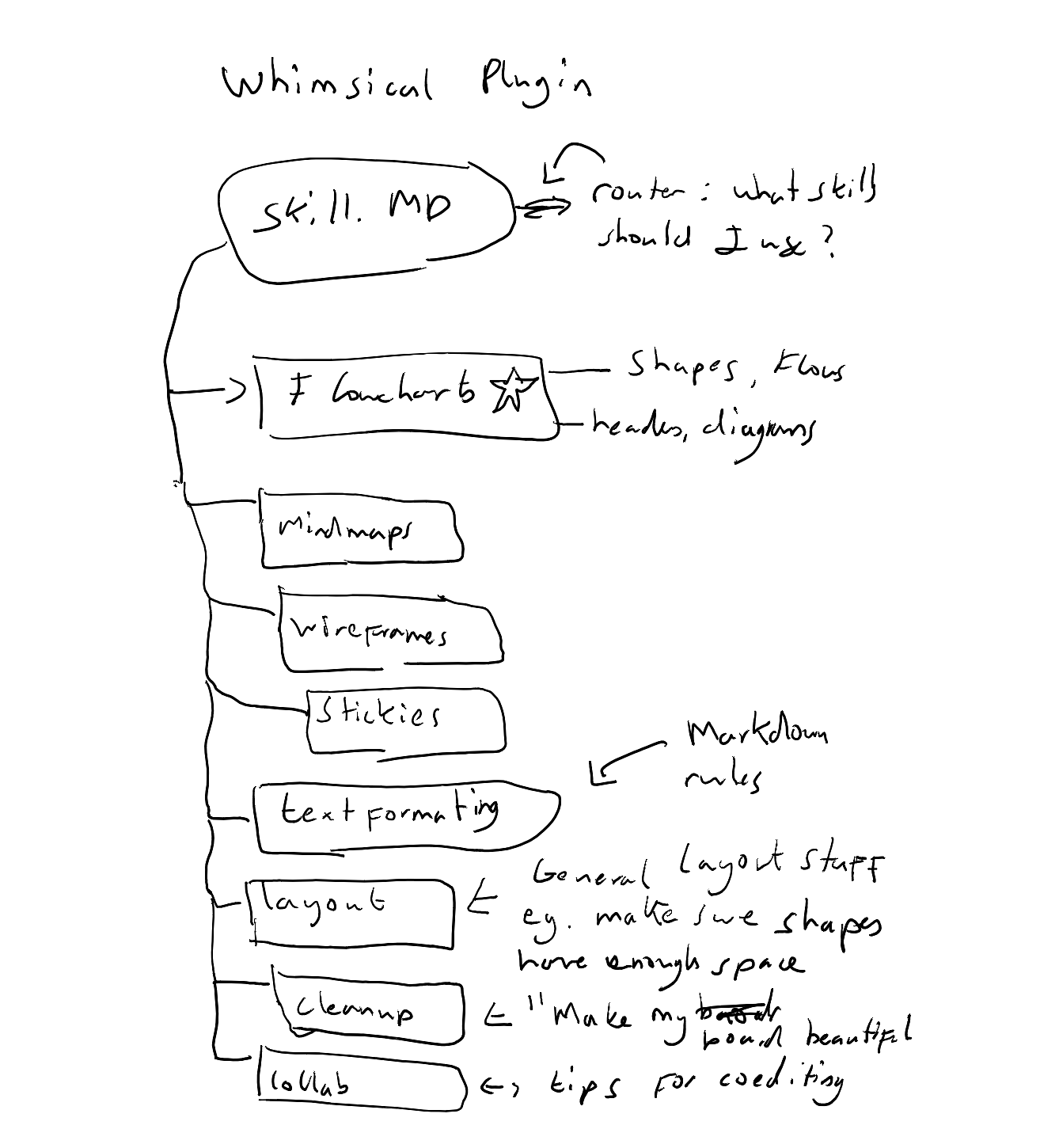
Somehow my diagrams are even uglier than my notes.
Turns out, yes. I built a separate skill for diagrams — same reMarkable pipeline, but instead of transcribing text, Claude reads the drawing and interprets the structure. Boxes, arrows, labels, flow. It could tell me what the diagram was about, draft a mermaid version inline, even recreate it as an interactive drawing. That bit was easy.
But I wanted something I could actually edit and iterate on. And that led me back to a long-running frustration.
A long-running frustration
AI diagramming is not new. I helped launch one of the first versions three years ago at Whimsical. But while everything else in AI has leapt forward, this hasn't moved.
I've tried plenty of tools like Miro AI, FigJam and it's always the same loop with the same problem: prompt, get a one-shot diagram, realise it's not quite right, fix it yourself. Critically, you can't go back to AI after the first pass. If you make edits and want AI help again, you're starting from scratch — and you'll probably get a different looking diagram entirely. Even the most recent tools haven't cracked it. Google Stitch 2.0 released to much hype, but after 5 minutes I got frustrated because, here again, you cannot really move elements around or make specific changes collaboratively. You go back to prompting and it just gets messy. For something that's meant to be visual and spatial, it feels surprisingly unintuitive.
Since I'd had success using Obsidian and Claude for collaborative markdown notes, I tried Excalidraw — an open-source drawing tool that integrates with Obsidian. One-shot generation worked great. I got my diagram off my notebook and into a clean, editable format.
Iterative editing was another story.
The short version: Excalidraw has its own save cycle that conflicts with external edits. The moment Claude tried to modify an existing diagram, the save cycle would corrupt the changes. I tried everything — cleanup scripts, file watchers, disabling auto-save. The fundamental problem was the same: Excalidraw and Claude were fighting over the same file. Excalidraw always won.
The longer version — what actually breaks
When you open a diagram, Excalidraw takes over the file, compresses the data, and manages its own state. Claude's edits would land correctly in the raw file, but the next time Excalidraw saved, it would overwrite them — reassigning element IDs, breaking text fields, and turning a clean diagram into a mess. Each fix I tried addressed a symptom, not the cause. The tool simply wasn't designed for two editors.
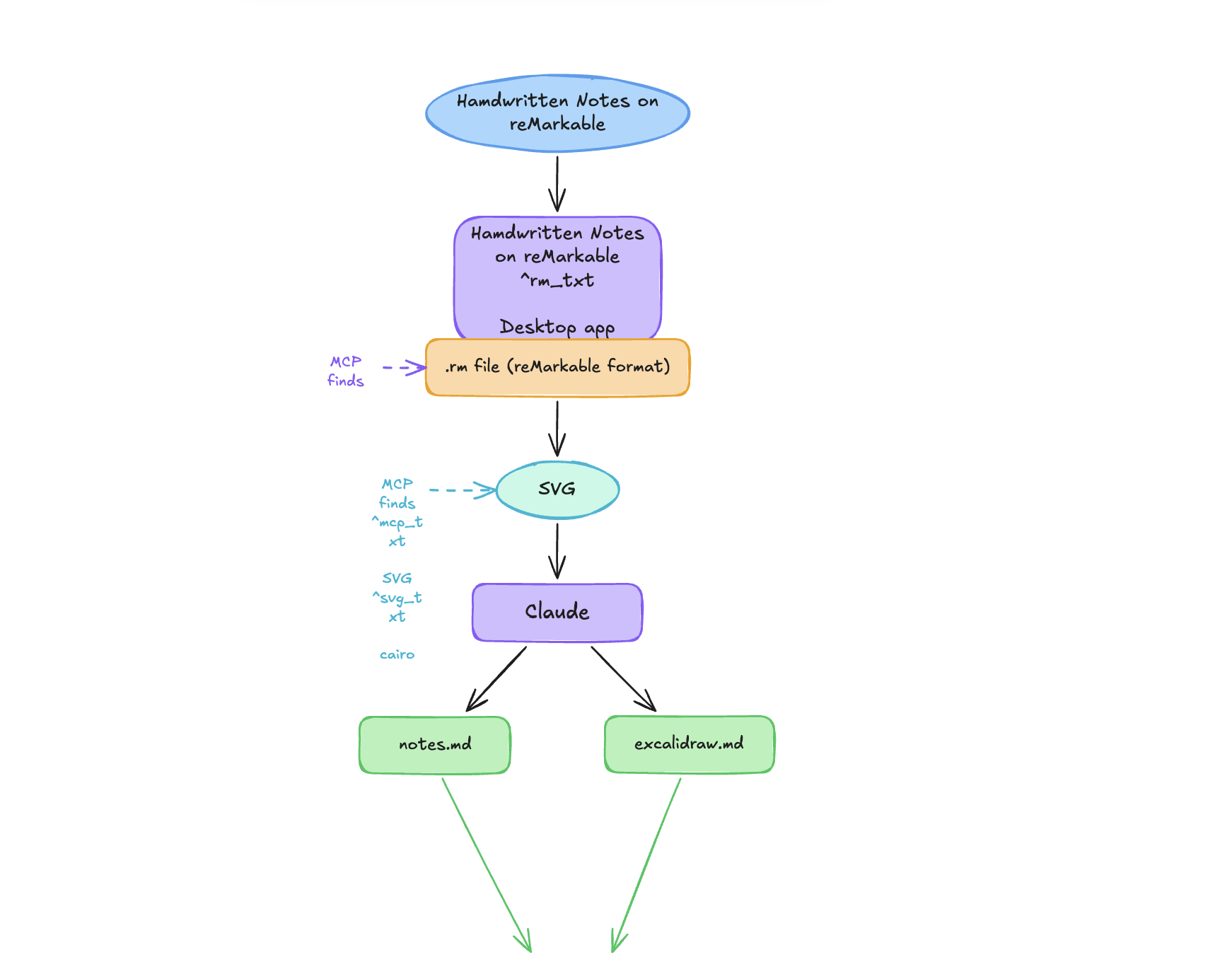
This adds back on every save no matter how hard I try.
(Re)Enter Whimsical
To be upfront — I used to work at Whimsical. Promise they're not paying me for this, though they know where to find me if they want to. Either way, boards and docs were my daily driver before Claude Code. I submitted a request for an MCP connection well over a year ago, and when I saw a post about the MCP release, I put my name down immediately.
Setting it up the first time was a happy moment for me. I know these tools and the first-pass diagrams were as good as what I'd been getting in Excalidraw. I rebuilt my reMarkable pipeline diagram as a Whimsical flowchart, and tried the thing that had failed everywhere else: editing it back and forth with Claude.
It was far from perfect at first, but I was getting further than I had with Excalidraw. And as part of the beta, I could give feedback to the team, asking Claude to explain when tools failed. At the same time, I began to delineate what was an MCP problem and what could be fixed by better prompting. Or better than that — taking a leaf out of Excalidraw's book — what could become a skill. Spacing rules, layout strategies, a cleanup technique I discovered by accident where inserting a temporary node triggers Whimsical's auto-layout to recalculate everything. Two operations and a messy diagram snaps into shape.
It's still not perfect. Editing flowcharts and freeform layouts remain tricky — I've recently discovered this is partly because the MCP converts to mermaid under the hood, which introduces its own constraints. But the direction is right. I can create a diagram, work on it with Claude, come back the next day and keep going. That's something none of the other tools could do. And it's Whimsical, which means it feels right. When I was part of the marketing team, we tried — and honestly probably failed — to accurately describe this, but something about making things in Whimsical feels more joyful than other tools. That extends to working with Claude and Whimsical together.
I published the skills on GitHub. The team are working fast and some of these might be obsolete within hours of publishing, but you might find them helpful.
Why I care so much about this
I've spent a lot of time on this and it's gone way beyond getting a diagram out of my reMarkable. Why?
It might seem a strange hill to die on, but I think it matters. It's not about diagrams as such. It's about the format, and even more importantly, the process.
Whimsical was my favourite place to think long before I was using Claude for anything. Boards and docs, mixed together. Flowcharts next to notes next to wireframes. The canvas — the ability to have different formats in one place, to plan visually, to move things around until they click. It let me manage my messy thinking, make it pretty. It gave me clarity.
More than ever, that clarity is important. At a time when you can build almost anything, it's easy to delegate or just skip the thinking. You get lost. You end up with something that doesn't do what you want it to do, or more often than not, run off on a tangent that's burned half your monthly token allowance.
The problem still starts within your head. If your thinking is messy, the outcome will be messy. You need a place to map it all out.
Craft in the age of AI
When I was at Whimsical, we talked a lot about craftsmanship. Building tools for people with obsessive attention to detail, love of the process, dedication. At times this focus led to awkward self-reflection. I'm a generalist by (absence of) trade. I would wonder what my craft actually was. Now with AI, people far more specialized than myself are likely wondering where their craft fits into the new world.
But honestly, working on this article has felt like craft to me. I'm not just delegating. I want to work with AI, deeply invested in what we're doing together.
I sketch something rough on the reMarkable — the rawest version of an idea, no pressure, no structure. Then I bring it onto a canvas or into notes to refine it, to give the idea shape, structure and clarity.
And that active engagement matters more than the current state because of what it represents. This workflow — sketching by hand, refining visually, collaborating with AI on a shared canvas — is how I stay invested in the work. When you're actively shaping a diagram, moving boxes, questioning the flow, you're in it. Maybe that's the craft.
My bet
I wrote in my reMarkable notebook, months before any of this worked, that "there needs to be a canvas-type tool, friendly for humans, that you can work on collaboratively with AI."
Claude runs on local markdown right now. Text in, text out. But, to put a stake in the hill I said I'd die on, I firmly believe multimodal is the future, and the tools that figure out how to make visual collaboration between humans and AI feel natural will change how we work. Not because they'll generate better diagrams. Because they'll keep us in the process of thinking. Keep us honest and keep us thinking about what craftsmanship means.
This is my way of making sure the planning phase — the phase that matters most — stays jointly editable. That there's always a manual override. That the human is in the loop not because the AI isn't capable, but because the human needs to be.
Iterative diagramming with AI isn't perfect yet. But I think you should try it. There's craft to be had.
If you want to follow along, leave your email below. No spam, just new posts when they're ready.